




Moving your website to a new host might sound like a daunting adventure, full of potential pitfalls and worries about downtime. But guess what? It doesn’t have to be a nightmare! With a little bit of planning and the right guidance, you can achieve a seamless migration with no downtime at all. In fact, it can be a relatively pain-free process that sets your website up for even greater success. Let’s dive in and make your next website migration an exciting and effortless experience!
What Exactly Is Website Hosting Migration?
Website hosting migration is like moving house for your digital presence. You choose a new hosting provider, transfer all your site’s files and databases, and update your Domain Name System (DNS) records to point to your site’s new address. A successful migration ensures minimal downtime, preserved SEO rankings, and a smooth visitor experience.
Two Main Approaches to Migration
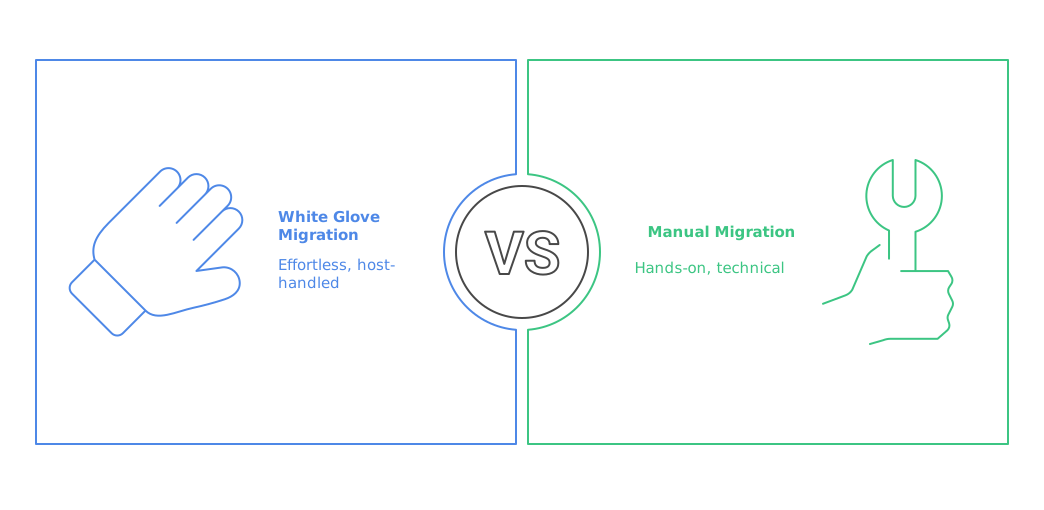
White Glove Migration
Your new host handles every step, from backups to DNS updates. Many providers—such as ScalaHosting, CanSpace, BigScoots, and AccuWeb Hosting—include free migration services in their plans, making it effortless for you.
Manual Migration
You control every detail. This hands‑on method requires technical know‑how in file transfers, database exports/imports, and DNS configuration. Ideal for developers or those wanting deeper understanding, but it can be challenging for large or complex sites.

Why Migrate? Key Benefits
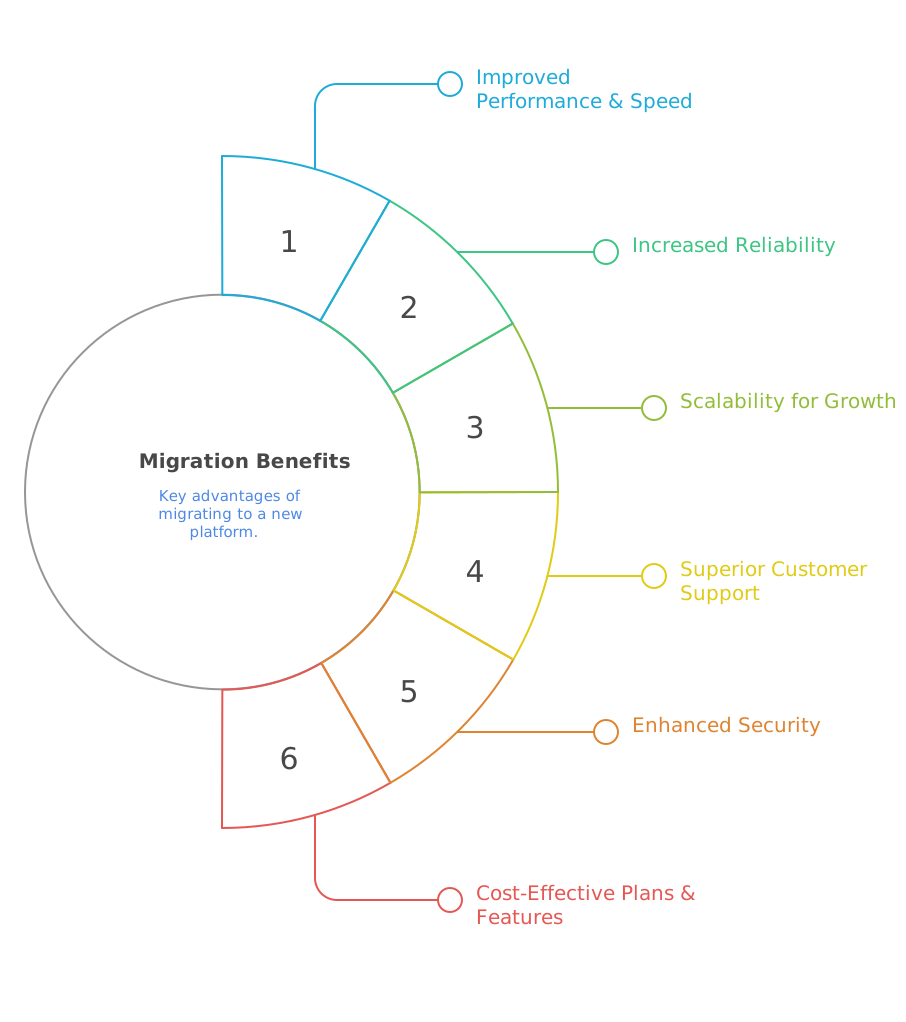
Improved Performance & Speed
A lower Time‑to‑First‑Byte (TTFB) and faster servers boost user experience and SEO rankings.
Increased Reliability
Ensure 99.9% uptime to prevent traffic loss and maintain credibility.
Scalability for Growth
Upgrade seamlessly to handle traffic spikes and expanding content.
Superior Customer Support
Access expert help when you need it.
Enhanced Security
Benefit from advanced firewalls, malware scanning, and regular patches.
Cost‑Effective Plans & Features
Compare and choose better pricing or specialized offerings tailored to your needs.
Is Your Business Ready for Seamless, Scalable Cloud Web Hosting?
Empower your online presence with robust cloud hosting that ensures speed, security, and effortless scalability. From lightning-fast load times to built-in redundancy and 24/7 support, keep your website performing at its peak—no matter how fast you grow.
Pre-Migration Checklist: Your Roadmap to Success
| Define Goals & Objectives | Clarify why you’re migrating—faster load times, better uptime, enhanced security, or improved SEO. |
| Assemble Your Team & Timeline |
|
| Backup Everything |
|
| Audit Existing Site |
|
| Create a Staging Environment |
|
| Disable Disruptive Plugins & Prevent Indexing |
|

The Migration Process: Step by Step
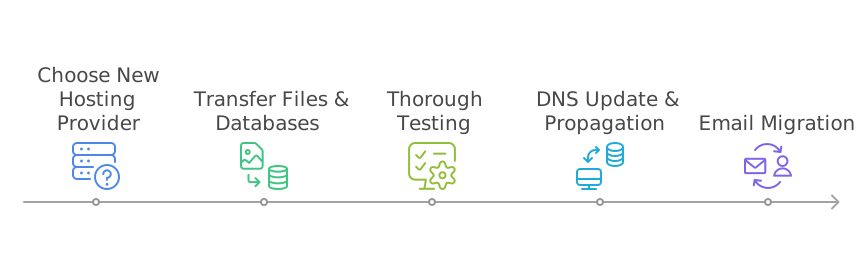
1. Choose Your New Hosting Provider
Evaluate:
- Reliability (99.9%+ uptime)
- Performance (SSD storage, CDN, HTTP/2)
- Scalability (easy upgrades to VPS, cloud plans)
- Security (free SSL, malware scanning)
- Support (24/7 chat, phone, ticketing)
2. Transfer Files & Databases
Static Sites:
a. Zip public directory
b. Upload to new host and unzip
c. Update DNS records
Dynamic Sites (WordPress, Magento):
d. Export database (.sql via phpMyAdmin)
e. Create a new database and user on the new host
f. Modify wp-config.php or Magento’s app/etc/env.php with new credentials
g. Import the database into the new environment
h. Upload and replace site files
i. Clear and refresh caches in the CMS admin panel
Migration Plugins:
- WordPress: Duplicator, All‑in‑One WP Migration (note file size limits)
- Magento: BigScoots Migrator or native tools
3. Thorough Testing
- Navigate every page and form
- Validate internal links, images, and scripts
- Test e‑commerce checkout flows and third‑party integrations
4. DNS Update & Propagation
- Log into your domain registrar and update the nameservers to those provided by the new host
- Allow up to 48 hours for global DNS propagation
- Continue running your old hosting plan until propagation completes
5. Email Migration
cPanel Email:
Use built‑in migration features
Manual:
Set up both accounts in an email client (Outlook, Thunderbird) and drag‑and‑drop messages between accounts.
Is Your Business Ensuring Peak Website Performance and Security?
Stay ahead of the curve with comprehensive website maintenance and support services that keep your site updated, secure, and running smoothly. From routine updates and performance optimisation to proactive troubleshooting, we ensure your website works as hard as you do.
Post-Migration Validation & Ongoing Maintenance
Verification Checks
- Functionality: Confirm forms, logins, and e‑commerce work as expected.
- Redirects & SEO:
- 301 redirects for old to new URLs.
- Remove temporary
noindexdirectives. - Submit updated XML sitemap in Google Search Console (GSC).
- SSL & Security: Ensure HTTPS is enforced.
- Performance Tests:
- Google PageSpeed Insights.
- GTmetrix or Lighthouse audits.
- Error Monitoring: Fix 404s and other server errors.
- Analytics & Tracking:
- Reinstall Google Analytics, Tag Manager, and any scripts.
- Monitor key metrics: page views, bounce rate, conversions.
- GSC & Indexing: Review crawl errors and bandwidth.
DNS & Account Closure
- After full DNS propagation (48–72 hours), verify live traffic exclusively on the new host.
- Once confirmed, cancel the old hosting plan to avoid overlapping charges.
Long‑Term Maintenance
- Regular Backups: Automate daily or weekly backups.
- SEO Monitoring: Track keyword rankings and traffic trends.
- Content Updates: Refresh high‑value pages and add new content.
- Security Audits: Conduct periodic vulnerability scans.
- Performance Tuning: Optimize images, leverage caching, and review server logs.
Website hosting migration is a strategic move to enhance speed, reliability, and security. Whether you opt for a white‑glove service or a manual transfer, following this roadmap—clear objectives, comprehensive backups, rigorous testing, and diligent post‑migration checks—ensures a seamless transition.
Ready to elevate your online presence?
Start planning your migration today and enjoy the benefits of a faster, more scalable, and secure hosting environment.
Eliminate downtime, safeguard visitor trust, and preserve your SEO rankings with our comprehensive hosting migration checklist. Get expert guidance to ensure your site remains live and lightning‑fast throughout the transfer.